

Description

TinyDash V2: compact display, powerful control
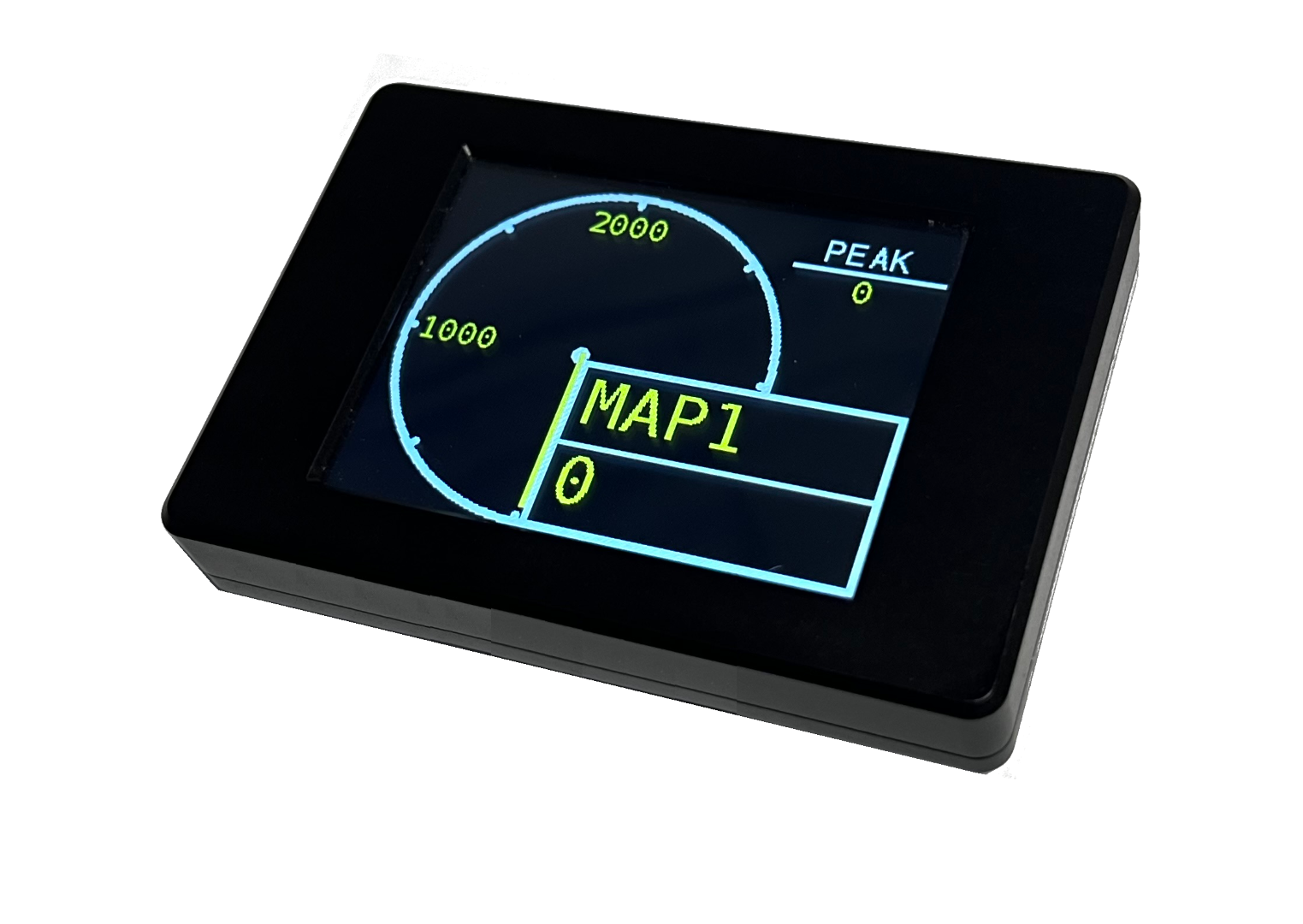
Live vehicle data, touchscreen controls and onboard diagnostics in a compact 2.4-inch display.
Designed for vehicle, off-road and marine installations, TinyDash V2 combines a resistive touchscreen with extensive CAN integration, configurable sensor inputs and two PWM outputs. View the information that matters, change calibration selections and operate custom buttons directly from the screen.
- Configurable layouts, colours, brightness, warnings and touchscreen keypad.
- Preset OEM and aftermarket ECU CAN streams, Generic CAN Receive and OBDII live data.
- Three analogue inputs, two low-side PWM outputs and onboard boost control.
- USB-C configuration and firmware updates using Syvecs SCal software.
New features
Expanded diagnostics, transmission monitoring and touchscreen control bring even more capability to TinyDash V2.
Features below are documented in the TinyDash V2 Manual for firmware and profile 1.47.3. Use matching firmware and profile versions, and configure the required functions in SCal.
Read and clear fault codes from the dash
Layout 10 adds dedicated Read DTC and Clear DTC buttons. View fault codes, descriptions and the responding controller on the display, or request diagnostics through SCal.
Select ECU, TCM or Global targets with supported OBD or UDS protocols. Dedicated options cover Porsche PDK, DQ250, DQ500 and Dodge/BMW TCM definitions. Unknown descriptions still show the fault code.
Compatibility depends on the controller, addressing and selected protocol. DTC diagnostics do not require live OBD sensor assignments. Record faults before clearing; clearing may reset readiness monitors.
Quick Syvecs CAN transmission
A single transmit-enable setting sends ECU calibration, traction-control and ALS selections together with the three physical analogue-input voltages in a predefined 50 Hz CAN message.
Use TinyDash as a touchscreen selection panel and additional input source for a suitably configured Syvecs ECU.
The receiving ECU must be configured for the predefined 0x100 frame. Analogue data represents physical AN01–AN03 pin voltages; sensor linearisation and LCD scaling do not change it.
Touch-wake screen blanking
Turn off the backlight automatically after one minute without a touch while keypad states, CAN communication, diagnostics and outputs continue running.
The first touch restores the screen; release and touch again to operate a control. Displayed alarms also wake the backlight.
Hibernate when the CAN bus goes quiet
CAN traffic hibernation puts TinyDash to sleep after ten seconds without a received CAN frame. CAN traffic returning wakes the unit through its normal boot sequence.
Hibernation shuts down the screen and outputs. USB connection prevents sleep and can wake the unit; touch alone does not wake it. TinyDash sends no application frames while asleep in CAN traffic mode.
Can-Am Maverick R EVO Flash data
The Maverick R preset supports the EVO Flash CAN layout, including engine and vehicle data plus lambda, ethanol content, ignition timing, modelled EGT, boost target and wastegate duty.
Requires the matching EVO Flash messages. Fixed SyvTCM reception must be disabled for this layout because the CAN identifiers overlap.
Four user-definable items
Configure four custom items with individual sensor settings and LCD scaling. Set multiplier, divisor and up to three decimal places to display the units and precision your installation needs.
These are four configurable items, supported by the three physical analogue inputs or configured CAN sources. LCD conversion changes the displayed value without changing the source sensor or CAN value.
SyvTCM live transmission monitoring
Receive the SyvTCM default CAN stream to display transmission information such as gear, clutch pressure, clutch slip, oil temperature, shift state and shaft speed.
Choose supported items for your display, logging or custom CAN configuration. The fixed receiver applies the matching SyvTCM scaling automatically; other transmitted items can be configured through Generic CAN Receive.
Requires the matching SyvTCM transmit stream. Live monitoring is separate from DTC diagnostics. Received monitoring values retain their last reading if reception stops.
Large gear display with two buttons
Layout 9 combines a large gear indicator with two touchscreen buttons. Toggle your configured functions while keeping the current gear clearly visible.
Button names and colours use the keypad settings. Tap the gear area below the top row to open ECU selection controls, or hold a top corner to change calibration.
Touchscreen layouts and keypad control
Assign a display layout and data set to each calibration position, then change between them using the touchscreen, configured switches or CAN inputs. The resistive touch panel also provides direct access to ECU calibration, ALS and traction-control selections.
Use the top corners to change the local calibration selection; hold the corners on Layouts 8, 9 and 10. On Layouts 1–7, press the centre to open ECU selection controls.
A configurable touchscreen keypad
Layout 8 provides four buttons with configurable names and active/inactive colours. Configure momentary or latched operation, assign their states to custom maps, or transmit them over CAN to other modules.

Make the display your own
Configure the available text, background and button colours, display orientation and brightness to suit the installation. Day and night brightness settings allow the screen to respond to configured inputs, such as headlight status.
Warnings and alerts
Set upper and lower warning thresholds for monitored items, with configurable hold and repeat delays. An engine-speed threshold can suppress warnings when the engine is stopped.
Alarm presentation depends on the selected layout; Layout 5 does not display alarms.
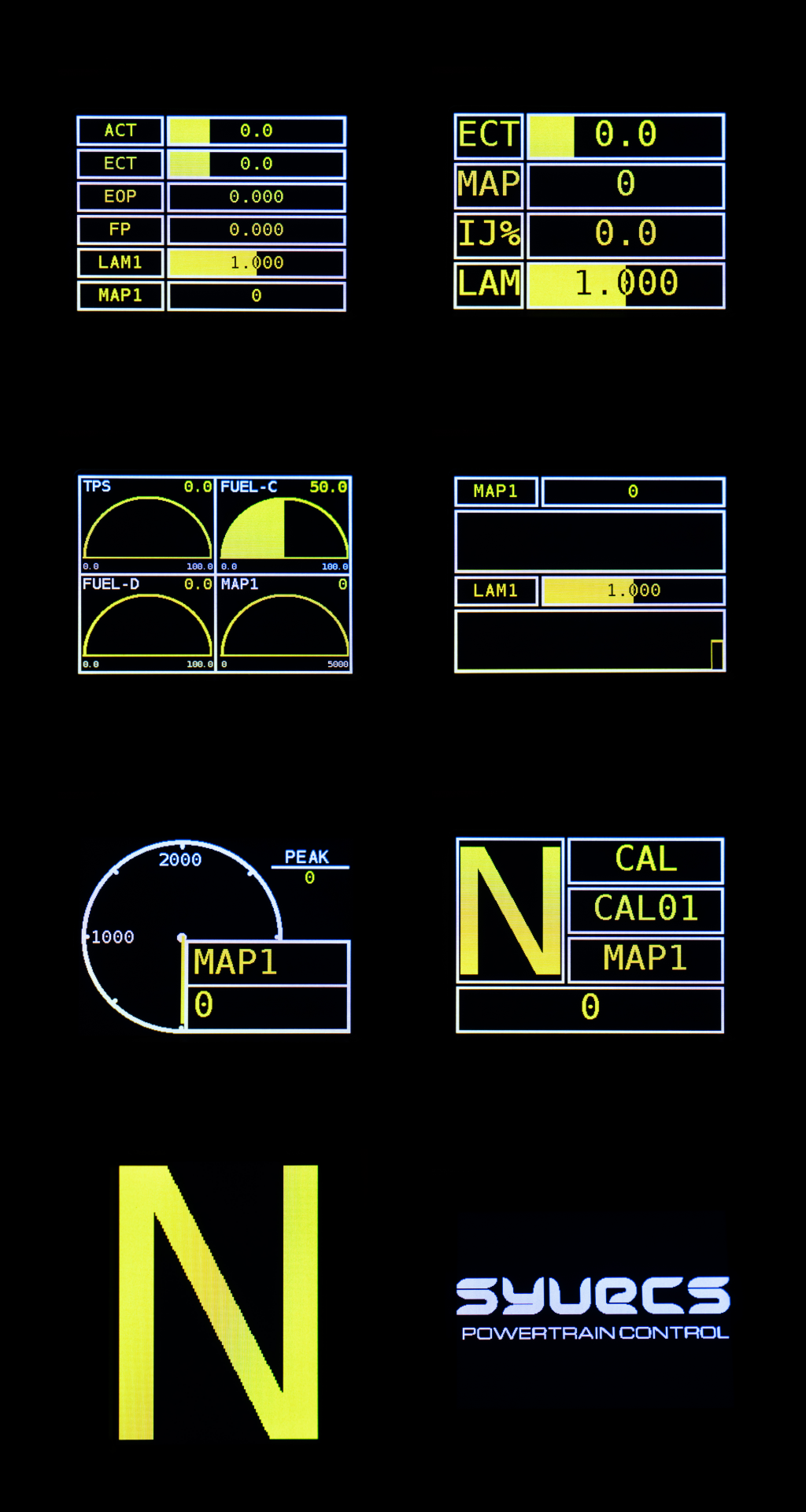
View display layout examples

Extensive CAN integration
Connect directly to a supported powertrain or aftermarket ECU CAN stream to display live data. Preset decoders simplify setup, while Generic CAN Receive lets installers define identifiers, signal positions, byte order and scaling for other compatible messages.
OBDII live data is also available over CAN on compatible vehicles. Available channels depend on the ECU, its software and the network connection. Direct powertrain CAN and diagnostic compatibility are separate: support for a live-data preset does not guarantee DTC access.
Check the CAN channel tables below for preset coverage.
Sensor inputs, PWM outputs and boost control
Extend your sensor connections
Three 0–5 V analogue/thermistor inputs provide software-selectable 3 kΩ pull-ups, sensor linearisation, filtering and error thresholds. Connect suitable pressure, temperature, position or calibration-switch inputs and configure their functions in SCal.
Later hardware also includes a separate frequency input for 0–5 V or 0–12 V square-wave signals, primarily intended for flex-fuel sensing.
The frequency input is available on orders from 25 September 2024. Check that the unit has the separate brown input wire.
Control more than the display
Two configurable low-side PWM outputs can operate suitable warning indicators, relays or solenoids. Each output supports 1 A continuous current and a 2 A peak for up to 100 ms.
With a suitable MAP source, calibration selection and compatible boost solenoid, TinyDash can also operate as a boost controller. Its wastegate strategy includes closed-loop PID targeting and phase/antiphase control, alongside configurable custom PWM functions.

Compact construction and straightforward mounting
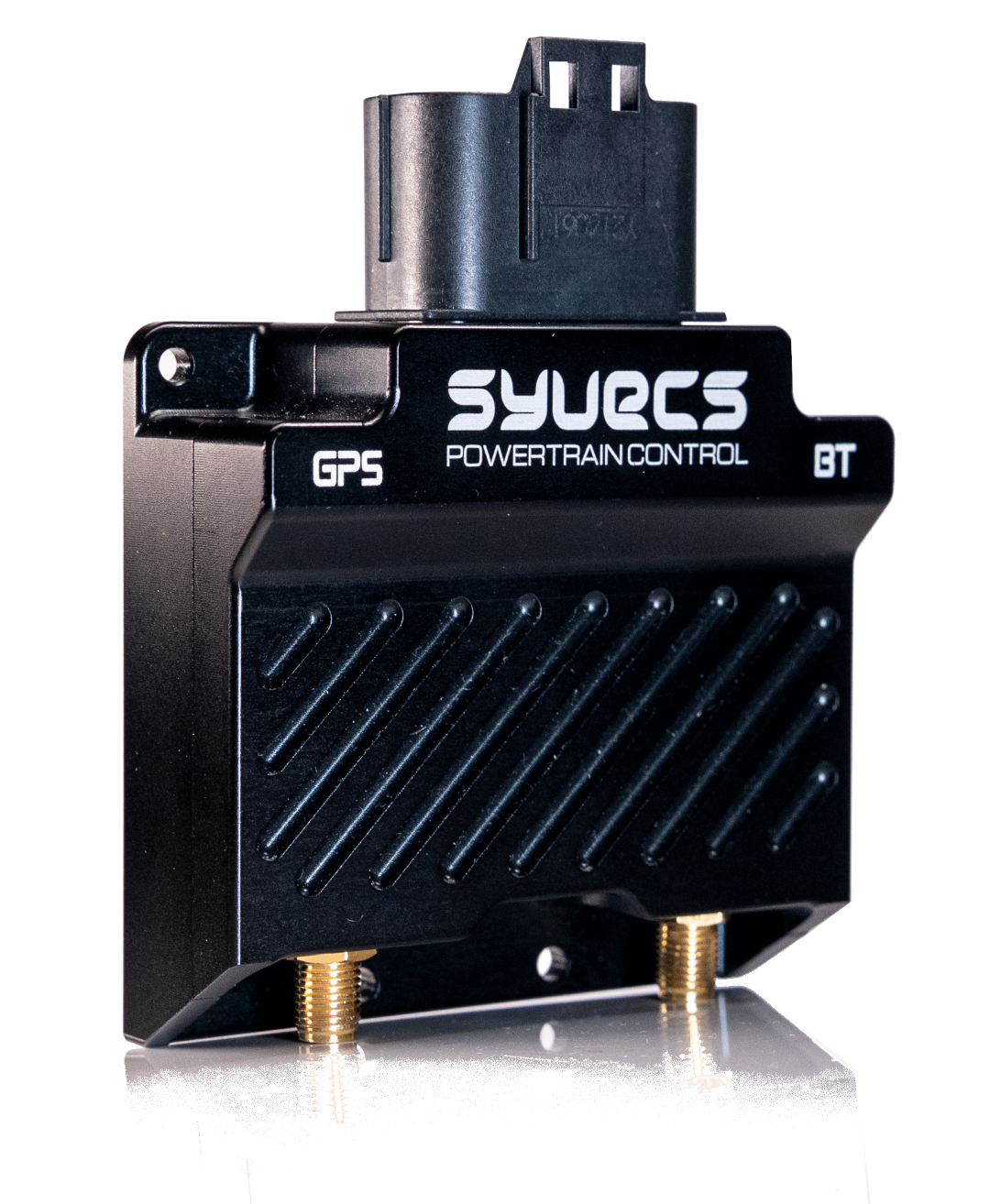
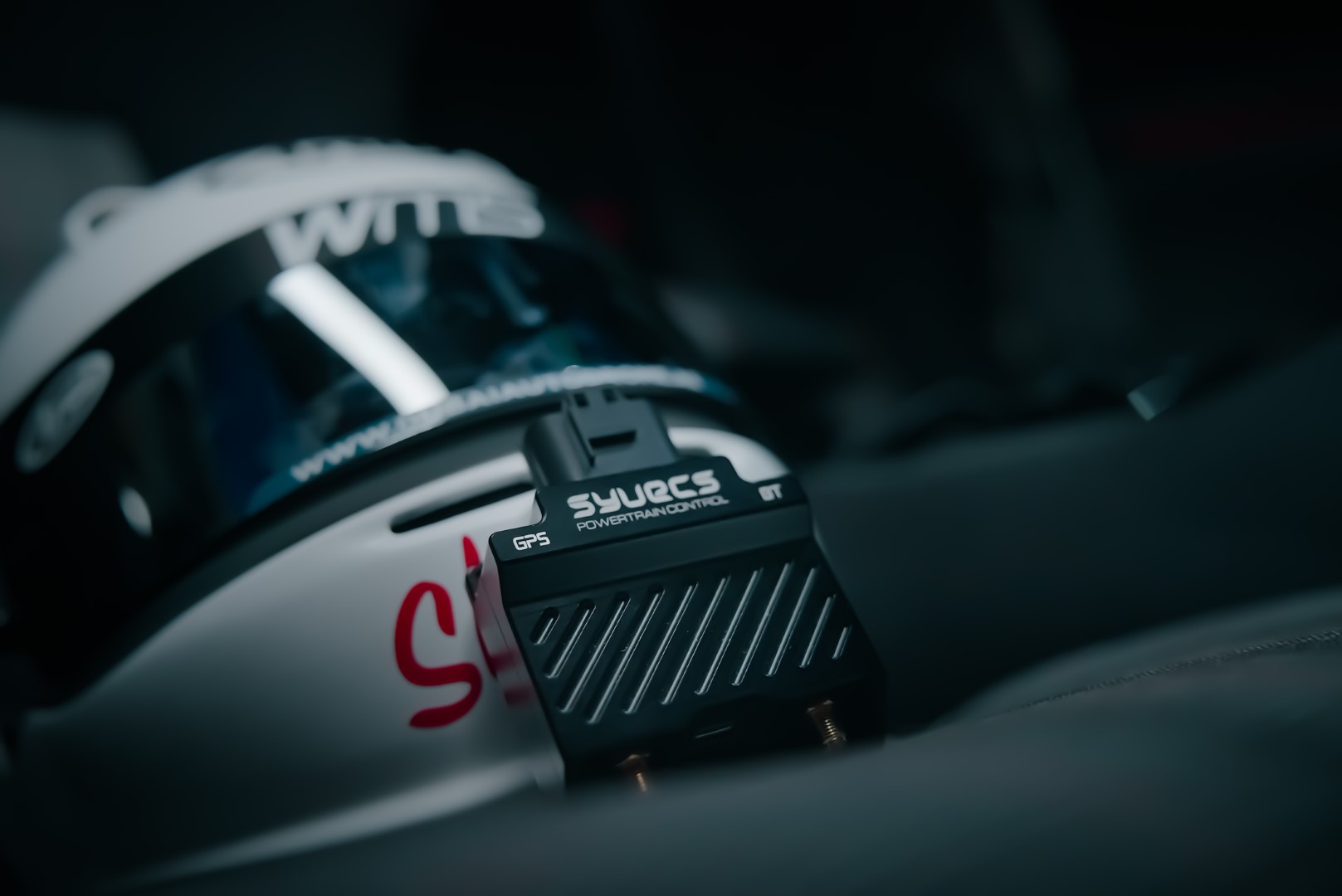
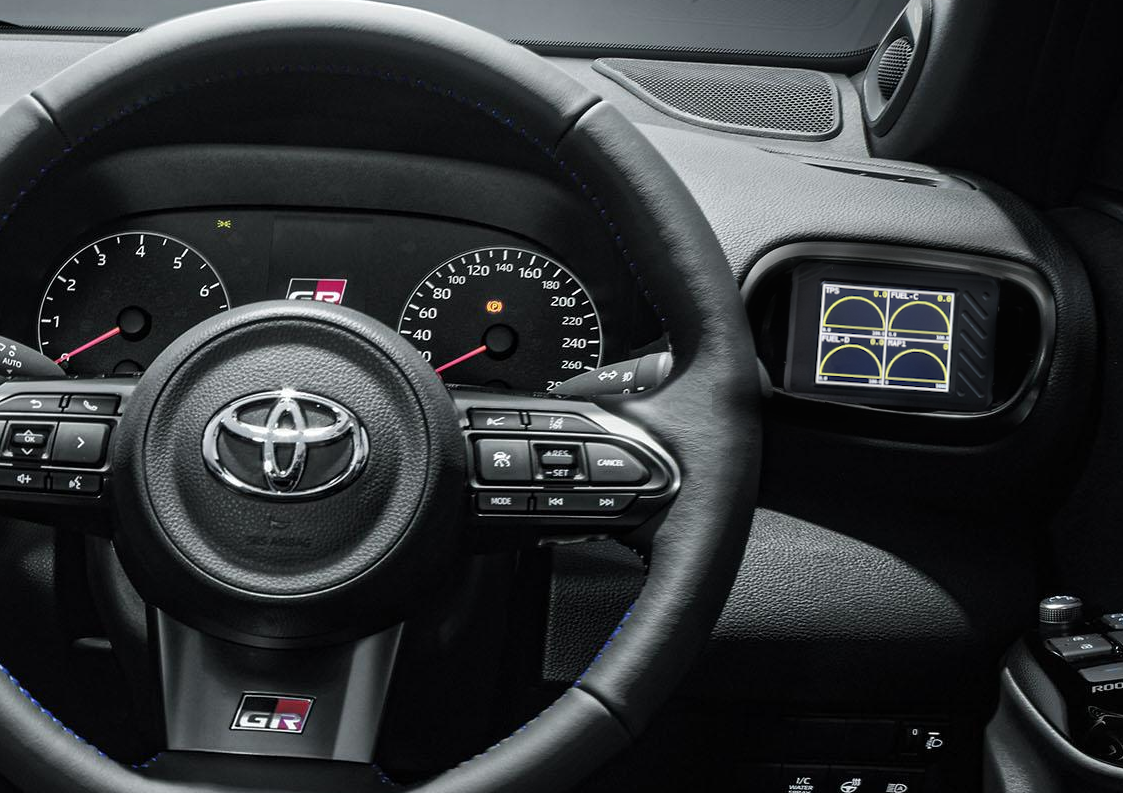
The anodised CNC aluminium body incorporates waterproofing for demanding installations. Its compact 78 × 50 × 20 mm housing fits where a larger display cannot.
TinyDash V2 accepts suitable off-the-shelf ¼-inch camera mounting brackets, allowing a secure installation while retaining access to the rear USB-C port.

Configure with Syvecs SCal
Connect through USB-C to configure inputs, outputs, CAN messages, alarm thresholds, layouts and calibration selections. SCal provides live monitoring and help for individual settings, along with configuration and firmware programming.
Download Syvecs S-Suite software or visit the Syvecs support forum for firmware information and support.

Watch the TinyDash videos: TinyDash video 1 · TinyDash video 2.
Specifications
| Display | 2.4-inch resistive touchscreen |
|---|---|
| Analogue inputs | 3 × 0–5 V analogue/thermistor inputs with selectable 3 kΩ pull-ups |
| Frequency input | 1 × 0–5 V or 0–12 V square-wave input on hardware available for orders from 25 September 2024 |
| Outputs | 2 × low-side PWM outputs; each 1 A continuous, 2 A peak for 100 ms |
| Sensor supply | 5 V, 400 mA maximum |
| Interfaces | USB-C for configuration and updates; 1 × user-programmable CAN 2.0B |
| CAN bus rates | 250 kbit/s, 500 kbit/s, 1 Mbit/s and 1.3333 Mbit/s; no internal 120 Ω termination resistor |
| Power supply | 6–26 V, fused ignition-switched supply |
| Dimensions | 78 × 50 × 20 mm |
| Construction | Anodised CNC aluminium body with waterproofing; Tyco Spec 44 wiring |
| Mounting | Compatible with suitable ¼-inch camera brackets |
Supported OEM and aftermarket CAN streams
Preset reception includes the OEM platforms listed below and Syvecs OEX, S6 Default, S7 Fixed Stream, S8/S12 Default, LinkECU, ECUMaster and MoTeC M1 0x64X streams. Select the preset matching the ECU’s transmitted layout.
These tables describe firmware 1.47.3 channel coverage. Vehicle variants and ECU software can differ; the connected controller must transmit the required messages. Generic CAN Receive, OBDII and separate SyvTCM reception are configured independently.
Engine channels
Y = decoded; – = not provided. A = TPS and PPS share the same received field. MAP = manifold pressure; TPS = throttle position; PPS = pedal position; ECT = coolant temperature; ACT = intake-air temperature; EOT = oil temperature.
| Vehicle / ECU stream | RPM | MAP | TPS | PPS | ECT | ACT | EOT |
|---|---|---|---|---|---|---|---|
| Audi Mk2 TTRS / RS3 | Y | – | A | A | Y | – | Y |
| Audi Mk3 TTRS / RS3 / S3 | Y | Y | A | A | Y | Y | Y |
| Audi R8 Gen1 | Y | – | A | A | Y | – | Y |
| Audi R8 Gen2 | Y | Y | A | A | Y | Y | Y |
| BMW 2020+ | Y | – | Y | Y | Y | – | Y |
| BMW E46 | Y | – | A | A | Y | – | Y |
| BMW E92 | Y | – | A | A | Y | – | Y |
| Canam | Y | Y | Y | Y | Y | Y | – |
| Canam MaverickR | Y | Y | Y | Y | Y | Y | – |
| Corvette Z06 | Y | – | Y | Y | Y | – | – |
| EcuMaster | Y | Y | A | A | – | Y | – |
| Evo X | Y | Y | Y | Y | Y | Y | – |
| Ford 2019 Mustang / F150 | Y | Y | A | A | – | Y | – |
| Ford Focus Mk2 | Y | – | A | A | Y | – | – |
| Honda FN2 / FD2 | Y | – | A | A | Y | – | – |
| Honda Type R FK | Y | Y | Y | Y | Y | – | Y |
| Infiniti Q60 | Y | – | A | A | Y | – | – |
| Jeep2022 | Y | – | Y | Y | – | – | – |
| Lamborghini Aventador | Y | Y | A | A | Y | Y | Y |
| Lamborghini Huracan | Y | Y | A | A | Y | Y | Y |
| Lamborghini LP520 | Y | – | A | A | Y | – | Y |
| Lamborghini LP560 | Y | – | A | A | Y | – | Y |
| Land Rover Defender 90 2015 | Y | – | A | A | Y | – | – |
| Lexus 570 2015 | Y | – | Y | Y | Y | Y | – |
| LinkECU | Y | Y | Y | Y | Y | Y | Y |
| McLaren 12c / 650s / 675 | Y | Y | Y | Y | Y | – | – |
| McLaren 570 / 720 / 765 | Y | Y | Y | Y | Y | – | – |
| Mercedes Gen1 | Y | – | A | A | Y | – | – |
| Mercedes Gen2 | Y | – | A | A | Y | Y | Y |
| MoTeC M1 0x64X | Y | Y | Y | Y | Y | Y | Y |
| Nissan 370Z | Y | – | A | A | Y | – | – |
| Nissan Patrol Y61 | Y | – | Y | Y | Y | – | – |
| Nissan Patrol Y62 | Y | Y | A | A | Y | – | Y |
| Nissan R35GTR | Y | Y | A | A | Y | – | Y |
| Porsche 991 / 981 / GTS / GT2RS / GT3 | Y | Y | A | A | Y | Y | Y |
| Porsche 996 | Y | Y | Y | Y | Y | – | Y |
| Porsche 997 / 987 | Y | Y | A | A | Y | – | Y |
| Simos 18 | Y | Y | A | A | Y | Y | Y |
| Subaru MY15 | Y | Y | A | A | Y | – | – |
| Suzuki | Y | Y | Y | Y | Y | – | – |
| Syvecs OEX | Y | Y | Y | Y | Y | Y | Y |
| Syvecs S6 Default | Y | Y | Y | Y | Y | Y | Y |
| Syvecs S7 Fixed Stream | Y | Y | Y | Y | Y | Y | Y |
| Syvecs S8/S12 Default | Y | Y | Y | Y | Y | Y | Y |
| Toyota GT86 / Subaru BRZ / Impreza 2015+ | Y | Y | Y | Y | Y | – | Y |
| Toyota Landcruiser 2015 | Y | – | Y | Y | Y | Y | – |
| Toyota Supra 2020+ | Y | – | Y | Y | Y | – | Y |
| Toyota Yaris GR | Y | Y | A | A | Y | – | Y |
| VAG Me7 | Y | – | A | A | Y | – | Y |
| VAG Me9 | Y | – | A | A | Y | – | Y |
| VAG MED17 | Y | Y | A | A | Y | Y | Y |
| VW Golf Mk5/6 / TFSI / TSI | Y | – | A | A | Y | – | Y |
| VW Golf Mk7 | Y | Y | A | A | Y | Y | Y |
| Yamaha YXZ | Y | – | A | A | Y | – | – |
Vehicle channels
Y = decoded; – = not provided. P = brake pressure; S = brake switch only; D = speed derived from wheel/axle speeds; A = actual and demand torque share one source; L = limited, see notes below; X = longitudinal acceleration; XY = longitudinal and lateral acceleration. Wheels = FL/FR/RL/RR items; Cal = calibration/mode selection; Torque = actual and demand torque.
| Vehicle / ECU stream | Gear | Brake | Speed | Wheels | Cal | Torque | G |
|---|---|---|---|---|---|---|---|
| Audi Mk2 TTRS / RS3 | Y | P | D | Y | – | Y | XY |
| Audi Mk3 TTRS / RS3 / S3 | Y | P | D | Y | Y | Y | XY |
| Audi R8 Gen1 | Y | P | D | Y | – | Y | XY |
| Audi R8 Gen2 | Y | P | D | Y | Y | Y | XY |
| BMW 2020+ | Y | S | D | Y | Y | Y | – |
| BMW E46 | – | S | D | Y | Y | A | – |
| BMW E92 | – | P | D | Y | – | Y | – |
| Canam | Y | – | Y | – | Y | A | – |
| Canam MaverickR | Y | – | Y | – | Y | Y | – |
| Corvette Z06 | – | P | D | Y | – | A | – |
| EcuMaster | – | – | – | – | – | – | – |
| Evo X | Y | P | D | Y | Y | Y | X |
| Ford 2019 Mustang / F150 | Y | – | D | Y | Y | A | – |
| Ford Focus Mk2 | – | – | – | Y | Y | A | – |
| Honda FN2 / FD2 | – | S | D | L | – | A | – |
| Honda Type R FK | – | S | D | L | Y | Y | XY |
| Infiniti Q60 | Y | P | D | Y | Y | Y | XY |
| Jeep2022 | – | P | D | Y | Y | A | – |
| Lamborghini Aventador | Y | P | D | Y | Y | Y | XY |
| Lamborghini Huracan | Y | P | D | Y | Y | Y | XY |
| Lamborghini LP520 | Y | P | D | Y | – | Y | XY |
| Lamborghini LP560 | Y | P | D | Y | – | Y | XY |
| Land Rover Defender 90 2015 | – | – | D | Y | – | A | – |
| Lexus 570 2015 | – | P | D | Y | – | Y | – |
| LinkECU | Y | – | D | Y | – | – | – |
| McLaren 12c / 650s / 675 | Y | P | D | Y | Y | A | – |
| McLaren 570 / 720 / 765 | Y | P | D | Y | Y | Y | – |
| Mercedes Gen1 | Y | S | D | Y | – | A | – |
| Mercedes Gen2 | Y | S | D | Y | Y | A | – |
| MoTeC M1 0x64X | Y | P | D | Y | – | – | – |
| Nissan 370Z | Y | P | D | Y | Y | Y | XY |
| Nissan Patrol Y61 | Y | S | D | Y | – | A | XY |
| Nissan Patrol Y62 | Y | P | D | Y | Y | Y | XY |
| Nissan R35GTR | Y | P | D | Y | Y | Y | XY |
| Porsche 991 / 981 / GTS / GT2RS / GT3 | Y | P | D | Y | Y | Y | XY |
| Porsche 996 | Y | S | D | Y | Y | Y | – |
| Porsche 997 / 987 | Y | P | D | Y | Y | A | XY |
| Simos 18 | Y | P | D | Y | Y | Y | XY |
| Subaru MY15 | – | S | D | Y | Y | Y | – |
| Suzuki | – | P | D | Y | – | Y | – |
| Syvecs OEX | Y | – | Y | Y | Y | Y | XY |
| Syvecs S6 Default | Y | – | Y | Y | Y | Y | XY |
| Syvecs S7 Fixed Stream | Y | – | Y | Y | Y | Y | XY |
| Syvecs S8/S12 Default | Y | – | Y | Y | Y | Y | XY |
| Toyota GT86 / Subaru BRZ / Impreza 2015+ | – | P | D | Y | – | Y | – |
| Toyota Landcruiser 2015 | – | P | D | Y | – | Y | – |
| Toyota Supra 2020+ | Y | S | D | Y | Y | Y | – |
| Toyota Yaris GR | – | P | D | Y | Y | Y | XY |
| VAG Me7 | Y | P | D | Y | – | Y | XY |
| VAG Me9 | Y | P | D | Y | – | Y | XY |
| VAG MED17 | Y | P | D | Y | Y | Y | XY |
| VW Golf Mk5/6 / TFSI / TSI | Y | P | D | Y | – | Y | XY |
| VW Golf Mk7 | Y | P | D | Y | Y | Y | XY |
| Yamaha YXZ | L | S | D | L | – | – | – |
Honda FN2/FD2 and Type R FK duplicate the rear-wheel reading. Yamaha repeats one speed into all four wheel items and supports neutral/1st–4th gear only. Jeep2022 has no usable preset gear value. Brake items normally share one source; MoTeC provides separate front/rear inputs.
Ford Focus Mk2 supplies wheel speeds without calculating vehicle speed. LinkECU uses the same received lambda field for both lambda items. BMW 2020+ and Toyota Supra 2020+ can supply gear directly when physical and speed-derived gear sources are not selected.
Additional channels and compatibility notes
Syvecs presets also receive selected pressure, lambda, fuelling, ignition, calibration and status items. Available fields differ between S6, S7, S8/S12 and OEX streams; use the manual’s per-stream tables when choosing a configuration.
ECUMaster and MoTeC M1 include primary injector duty and lambda. LinkECU adds oil pressure, fuel pressure, ethanol content, injector duty, fuel pulse width, ignition timing, lambda and ECU battery voltage. Infiniti Q60, Nissan 370Z and Porsche 997/987 include oil pressure; Nissan R35 GT-R and Patrol Y62 include headlight state.
Maverick R requires the EVO Flash layout. Its EGT is modelled, fixed SyvTCM reception conflicts with its MAP frame, and local wastegate control takes priority over received boost target and duty.
FuelTech’s preset does not currently receive its extended-ID stream correctly. GM LT, GM E38, Haltech, Lexus 570 2024 and Toyota Landcruiser 2024 have no implemented TinyDash preset decoder in this firmware, even though entries appear in the shared SCal list. They are therefore not listed as supported presets here. A separately configured and verified Generic CAN Receive setup may be used where appropriate.
DTC support is separate from these live-data tables. Standard 11-bit classic CAN diagnostics are supported; manufacturer session/security negotiation, BMW extended addressing, CAN FD and K-line diagnostics are not implemented.
For installation, wiring and detailed configuration, refer to the TinyDash V2 Manual or contact Syvecs support.